Vox Max Android TV app: features and real screenshots
Explore the Vox Max Android TV app in real screenshots: up to 400 channels from Romania and Moldova, 7-day Playback, films, series and five simultaneous connections through pure P2P.
In this guide
- Home: television and content within easy reach
- Live channels from Romania and the Republic of Moldova
- Playback for up to 7 days: watch around your own schedule
- Up to 5 simultaneous connections, regardless of location
- Films: choose what to watch and when to start
- Series: a dedicated section for the stories you follow
- Pure P2P technology, built into the Vox Max app
- Settings and connection checks within the app
- What you need to get started
- Frequently asked questions
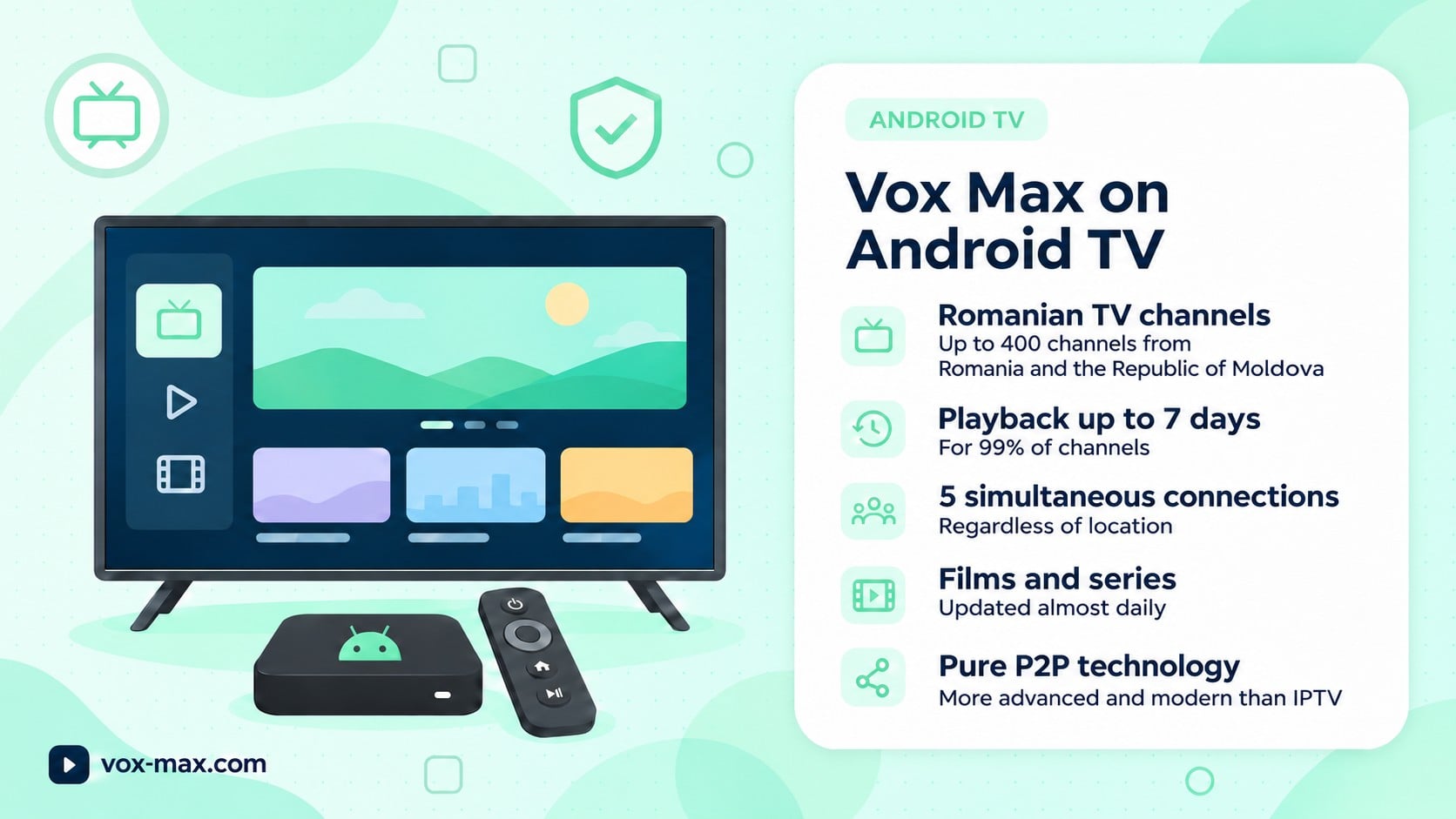
The Vox Max Android TV app brings live Romanian channels, Playback for up to 7 days, films and series to your television, in an interface you control with your remote. One subscription supports up to 5 simultaneous connections, regardless of location, while video distribution uses pure P2P technology built into the dedicated app.
You might want to watch the news after work, catch up on last night's programme or choose a film for the weekend. You can do all of this in one place. The top menu in Vox Max takes you between television, Home, Movies, Series and Settings.
The screenshots in this article come from the actual Android TV app. They show how the content is organised and where to find its main options.
Home: television and content within easy reach
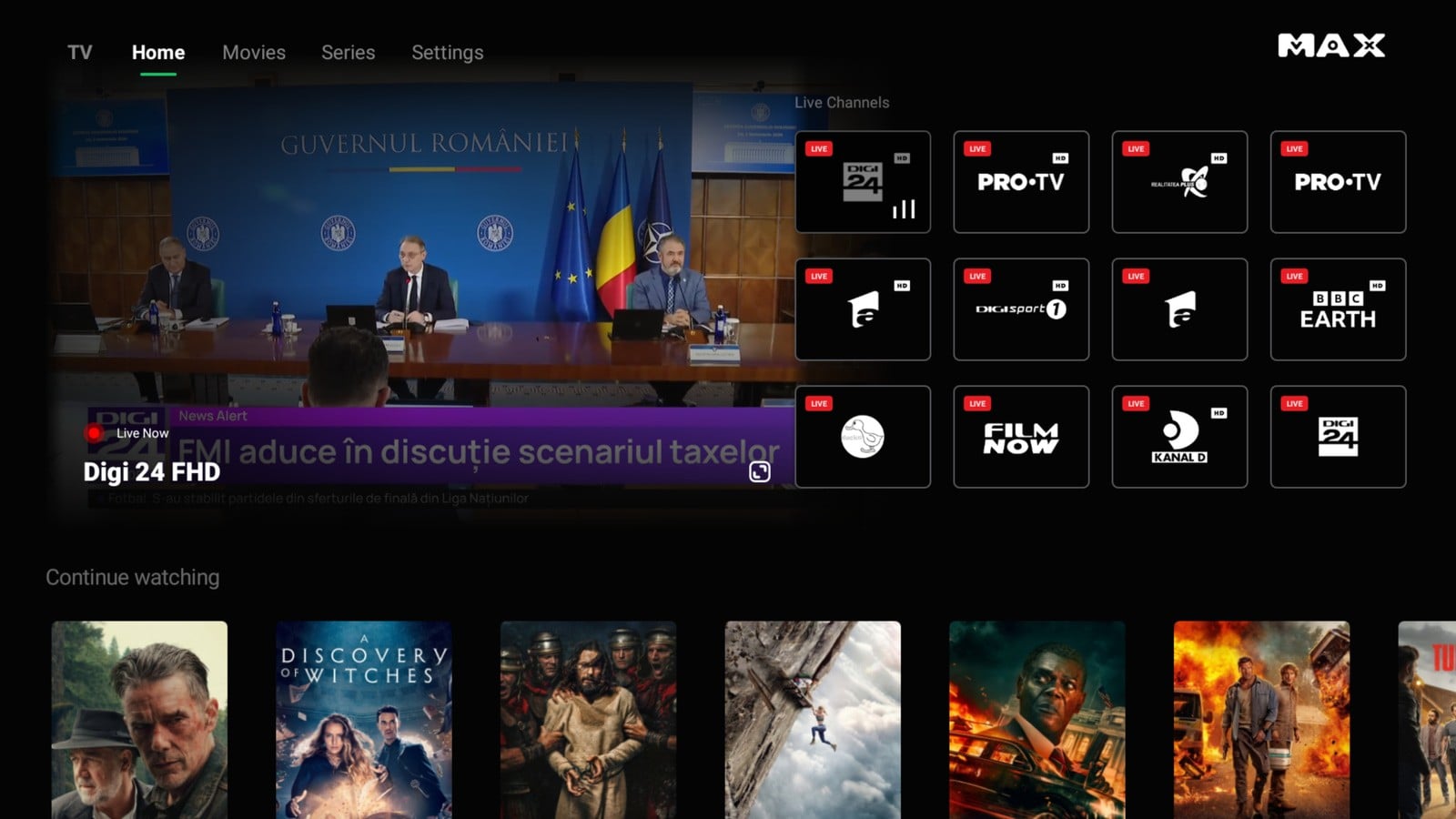
Actual screenshot of the Home screen in the Vox Max Android TV app.
Open Home and you will see the selected broadcast, a live channels area and the Continue watching row. You can return to something you have started or choose what to watch next.
The interface combines a dark background, large images and a menu that is easy to follow from your sofa. It is designed for television: you navigate with your remote, without relying on a phone's touchscreen controls.
The Home screenshot shows both live television and access to films and series. That is its practical benefit: you do not have to start your search from scratch every time.
Live channels from Romania and the Republic of Moldova
For many viewers, the first priority is simple: switch on the television and watch programmes from home. Vox Max offers up to 400 channels from Romania and the Republic of Moldova, covering news, entertainment, sport and other categories, alongside its video library.
The app screenshot includes Digi24, PRO TV, Antena 1 and Digi Sport, for example. Check the available channel list directly in the app so you can find the stations that matter to you before choosing a subscription.
You watch over the internet on a compatible device, without a satellite dish. Depending on your equipment, you can use an Android TV television or a compatible Android TV device connected through HDMI.
Playback for up to 7 days: watch around your own schedule
Got home late and missed your favourite programme? Playback is available for 99% of channels, with an archive of up to 7 days, so you can return to available recordings when you have time.
This is particularly useful if you work shifts or live in a different time zone. Instead of arranging your evening around the broadcast time, choose an available recording and start watching.
The basic steps are:
- Choose the channel that broadcast the programme.
- Open Playback or the available archive.
- Select the day and programme you want.
- Start the recording.
You do not need to leave your television on for the service to record. Access depends on programmes having been recorded and being available in the app; the 7-day window is not a permanent archive.
You can find the full explanation in our guide to catch-up TV and Playback.
Up to 5 simultaneous connections, regardless of location
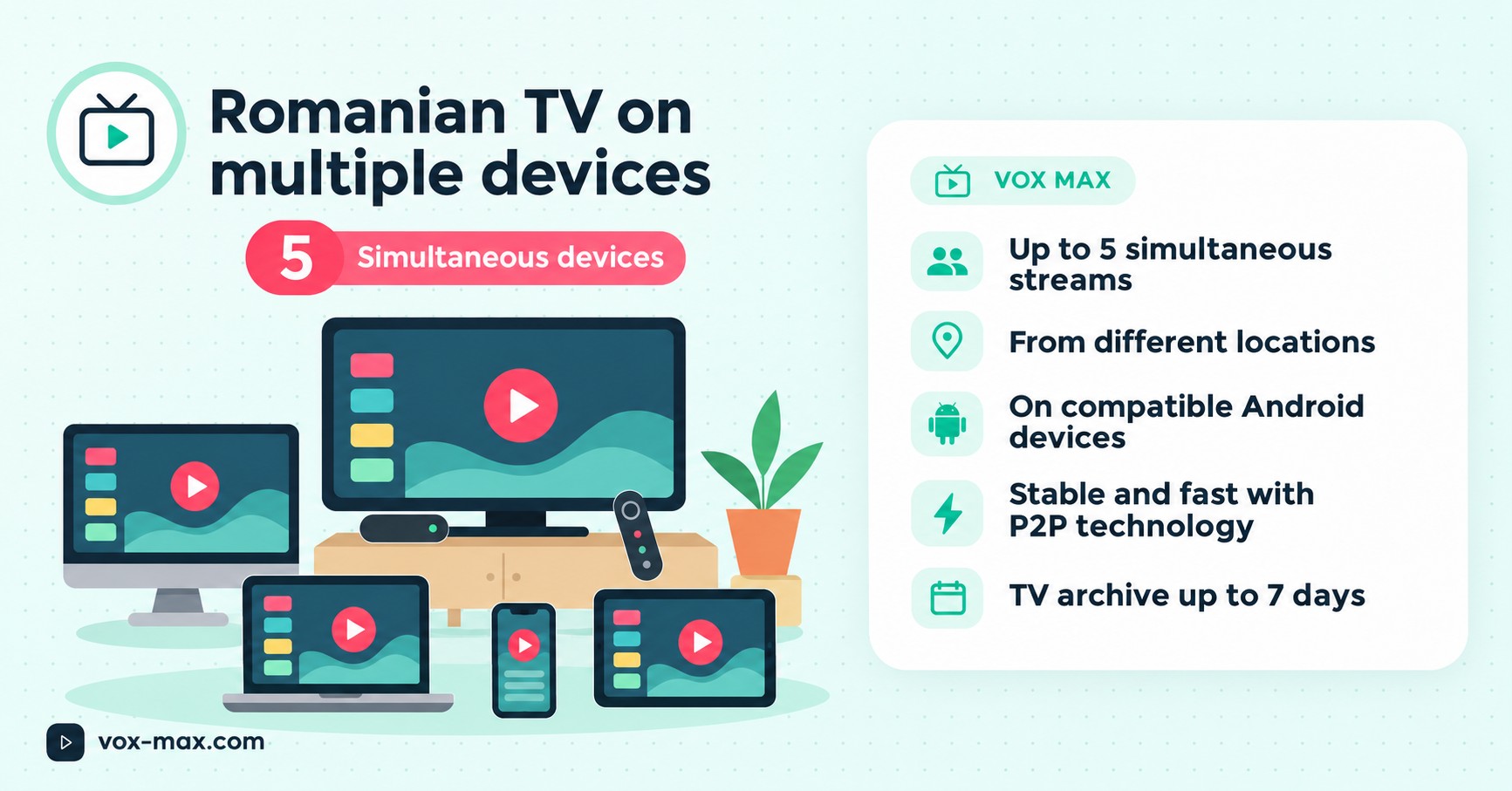
The 5 connections are streams that can run at the same time through one Vox Max account. Your devices do not all need to connect to the same router or be in the same home.
You can have a television at home and another compatible device elsewhere. Different IP addresses and internet providers are supported, within the limit of five simultaneous streams.
Each screen can show the viewer's chosen content. For example, one television might show a live Romanian channel while another plays a film. The screens do not all have to show the same programme.
Each device needs a stable internet connection and the correct app. Use the dedicated Android Mobile version on a phone and the Android TV version on a television or TV box. We explain how the five simultaneous screens work in a separate guide.
Films: choose what to watch and when to start
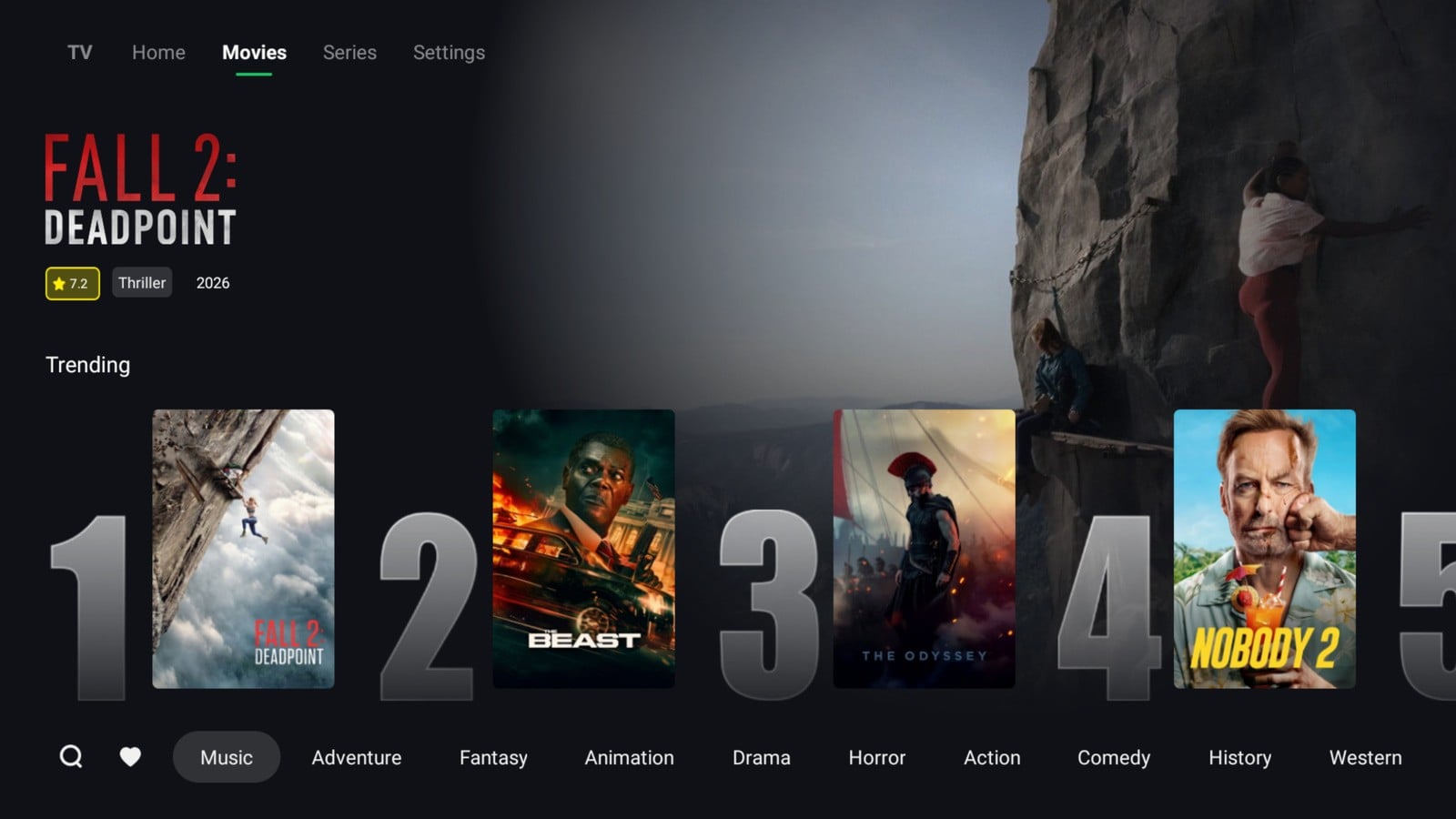
Actual screenshot of the Movies section in the Vox Max Android TV app.
In Movies, large posters sit alongside the information available for the selected title, such as its genre, year and rating. The Trending area helps you discover content, while the categories along the bottom let you browse by preference.
With on-demand films, you choose when to start. There is no need to wait for a film's scheduled broadcast: select a title from the available library and play it when you are ready.
Films and series are included in the Vox Max subscription, alongside television and the archive. The film and series library is updated almost daily. The catalogue can change, and the screenshots show the content displayed when they were taken.
Series: a dedicated section for the stories you follow
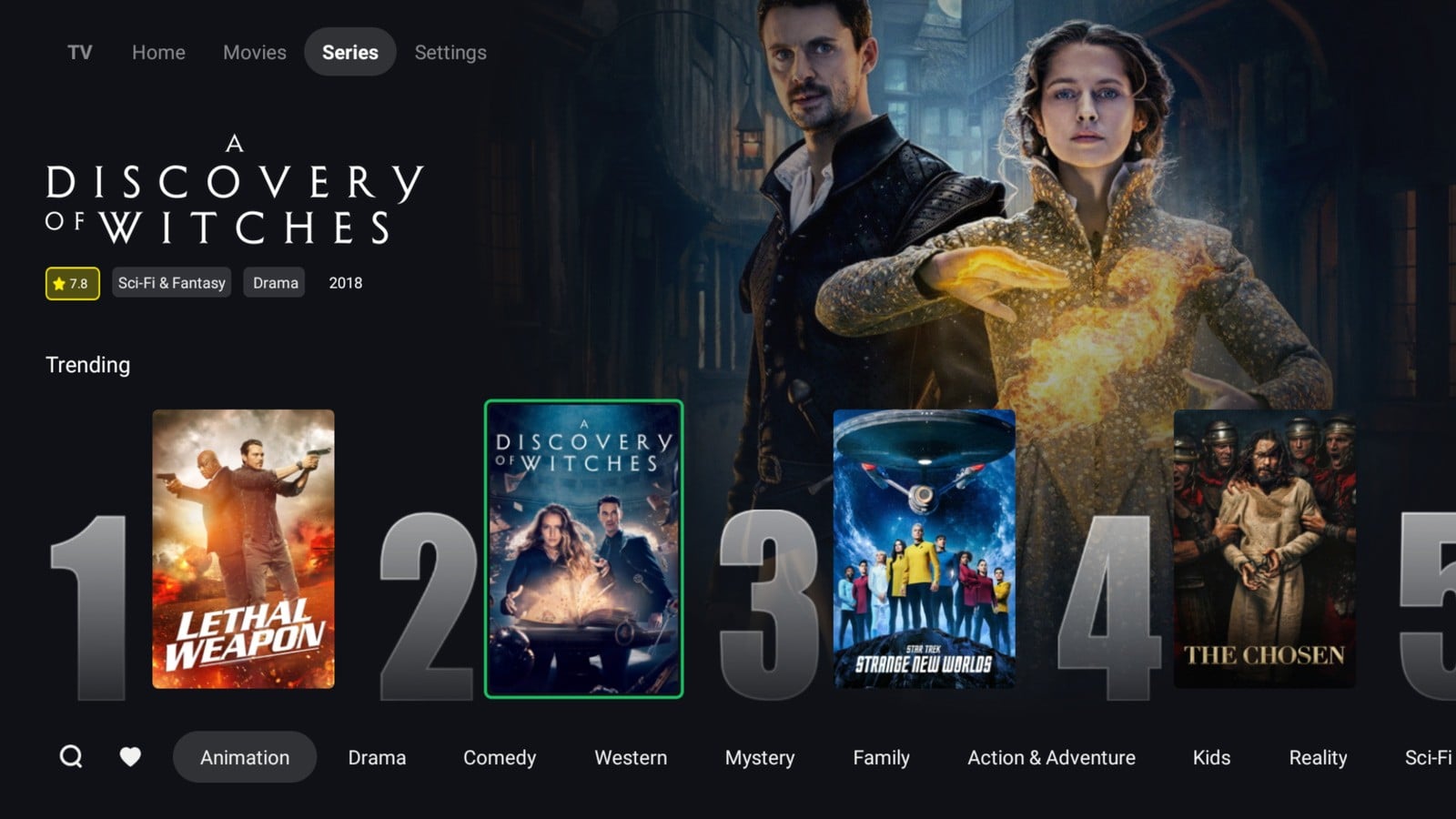
Actual screenshot of the Series section, showing titles, information and browsing categories.
Series uses the same visual browsing approach as Movies. You can look through the displayed titles, read the available information about your selection and explore categories such as drama, comedy or mystery.
Separate film and series sections make it easier to find the type of content you want. You can return to Home or television at any time using the top menu.
Pure P2P technology, built into the Vox Max app
Vox Max video distribution is based on pure P2P — peer-to-peer — technology. Participating devices can receive and send fragments of the video stream, contributing to delivery across the network.
The benefit of this model lies in devices taking part in distribution: their upload resources can help deliver fragments to other participants. This mechanism distinguishes Vox Max from using a player with an imported channel list.
For you, using it remains straightforward. Open the dedicated Vox Max app, sign in and choose what to watch. You do not need to configure M3U playlists or Xtream details in a third-party app.
P2P uses your internet connection, including upload resources during distribution. A suitable device and a stable network therefore matter to your viewing experience, alongside the app and the video source.
Settings and connection checks within the app
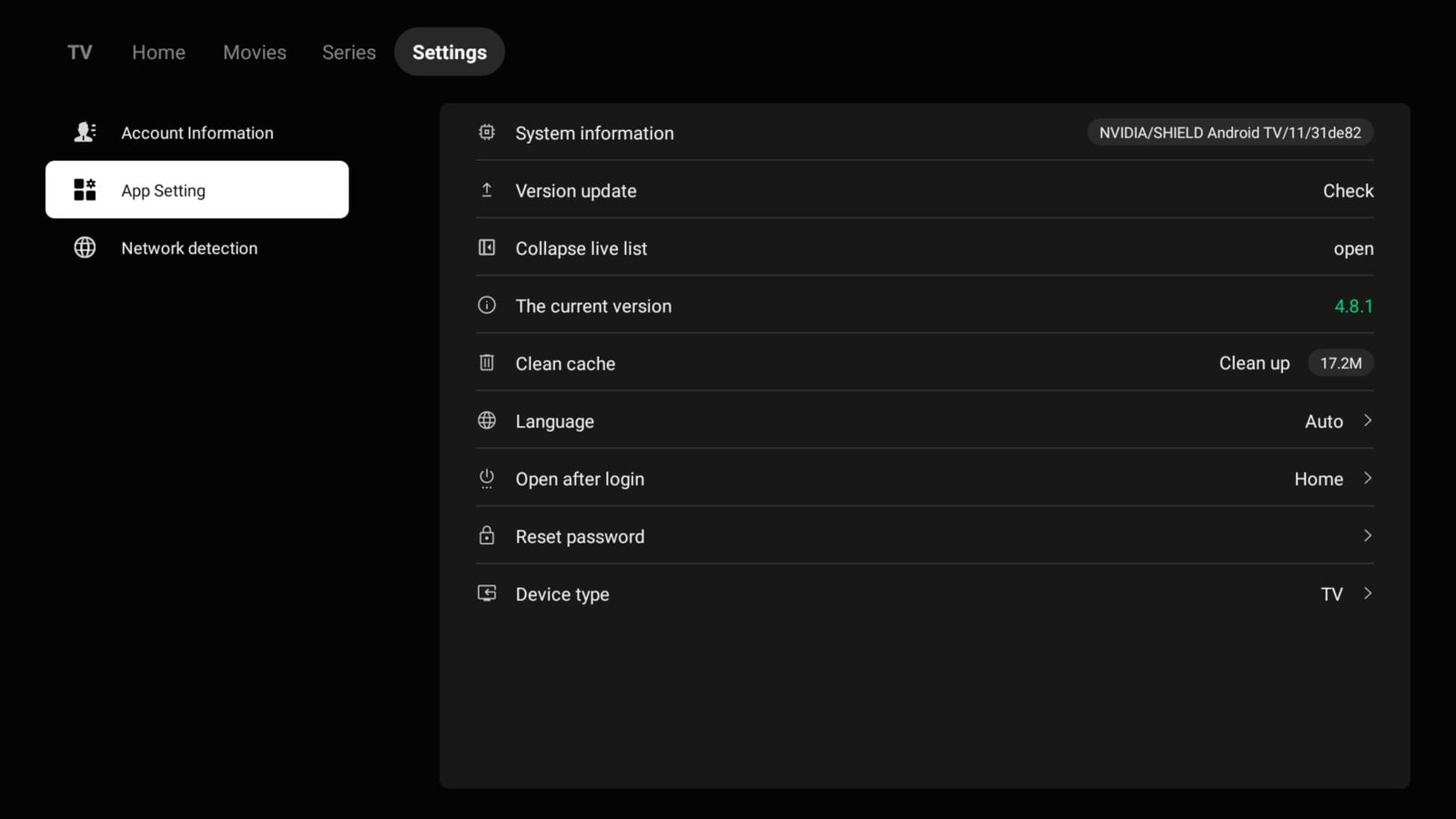
Actual screenshot of Settings. The image shows the version installed on the device when the screenshot was taken.
Settings contains the app's management options. The screenshot shows the update check, installed version, cache clearing, language and choice of page to open after signing in.
The menu on the left also includes Network detection, which helps you check the connection. If playback is having difficulties, start with the network on the device you are actually watching. A test on your phone does not always reflect the connection available to your television.
Then check whether the problem affects one channel or several, and whether the app is up to date. For support, send your device model, app version and a short description of the issue to [email protected].
What you need to get started
For your television, choose compatible Android TV or Google TV equipment. Recommended devices include Nvidia Shield, Xiaomi Mi Box and Google TV Streamer 4K.
We recommend a wired Ethernet connection and an internet connection of at least 100 Mb/s, checked on the streaming device itself. If several screens use the same network, they share its resources.
Create your account on the website, complete the required verification steps and install the Android TV version using the official instructions. Follow our guide to installing Vox Max on Android TV.
There is a separate app for phones, which you download directly from the website's Android Mobile section. You can find the details in our introduction to the Vox Max Android mobile app.
New users can try the service with the 24-hour free trial: test your favourite channels, Playback and the video library on your own device. You can then explore the available subscriptions.
Frequently asked questions
Can I watch programmes from the last 7 days?
Yes. Playback is available for 99% of channels, with recordings available for up to 7 days. The programme must have been recorded and be available in the archive. You do not need to schedule a recording on your television.
Do the 5 connections have to be in the same location?
No. You can use up to 5 compatible devices simultaneously in different locations, including with different IP addresses and internet providers.
Are films and series included in the subscription?
Yes. The subscription includes access to the available film and series library, updated almost daily, alongside television channels and the archive.
Do I install the same app on my television and phone?
Choose the dedicated version for each device: Android TV for a compatible television or TV box, and Android Mobile for your phone. Download the mobile version directly from the appropriate section of the website.
Do I need a separate IPTV player?
No. Vox Max uses its own app and P2P technology. Sign in with your Vox Max account details, without importing a playlist into a third-party player.
More guides
-
Romanian TV abroad
Romanian TV in Italy without a satellite dish: what you need
Compare satellite with internet TV, see what equipment you actually need and how to sort out connection problems.
-
Vox Max features
Romanian TV on multiple devices: up to 5 screens
Romanian TV on multiple devices: one Vox Max subscription supports up to five simultaneous screens on compatible Android devices, even across different locations.
-
Romanian TV abroad
Romanian IPTV 2026
Romanian IPTV 2026: compare internet TV subscriptions, compatible devices, catch-up television and IPTV versus P2P before you choose.