Romanian TV in Ireland: a home setup guide
How to get your TV, home network and free trial ready for Romanian television in Ireland, and how to handle the two-hour time difference.
In this guide
To watch Romanian TV in Ireland with Vox Max you need a stable home internet connection, an Android TV or Google TV device plugged into your television, and a Vox Max account. No satellite dish is involved. You install the app from Google Play or with the Downloader app, and your login details arrive by email when you register.
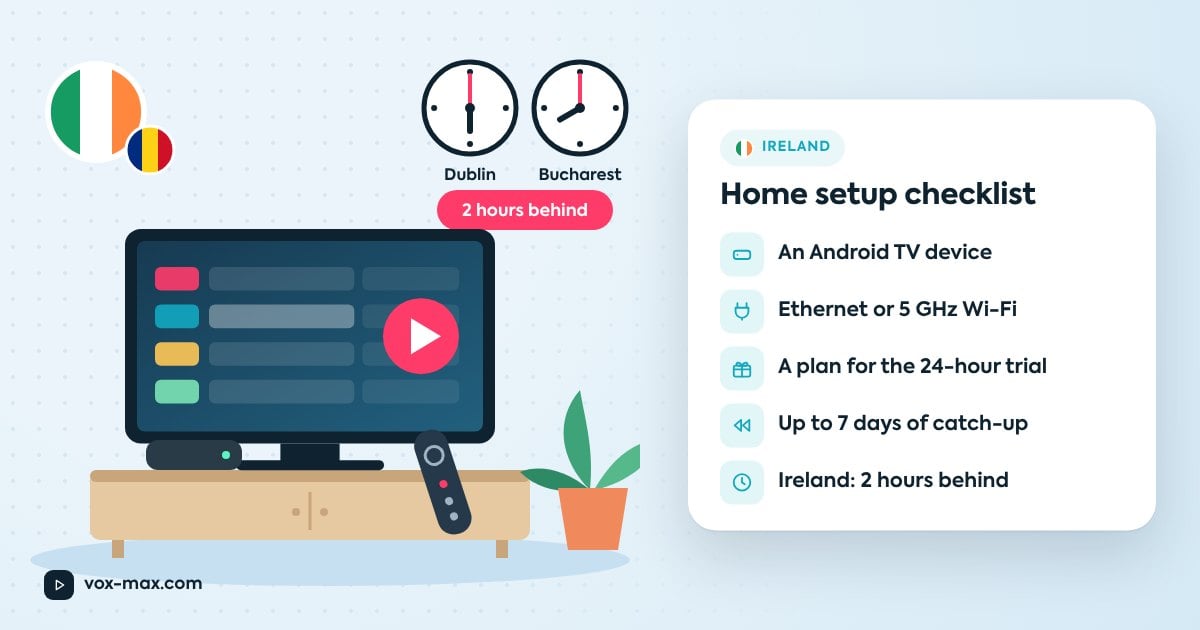
The Irish twist is the clock: Ireland is two hours behind Romania all year round. That changes how you catch evening programmes, and it is where the up-to-7-day archive earns its keep. Below you will find a home checklist, network tips for typical Irish houses and flats, and a simple plan for the free 24-hour trial.
Irish time vs Romanian TV schedules
Ireland runs on GMT in winter and Irish Standard Time in summer; Romania runs on EET and EEST. Both switch clocks on the same weekends, so the gap never changes: 2 hours.
| Time in Romania | Time in Ireland |
|---|---|
| 08:00 | 06:00 |
| 19:00 | 17:00 |
| 20:00 | 18:00 |
| 22:00 | 20:00 |
In practice, Romania's evening line-up starts while many people in Dublin, Cork or Galway are still at work or on the commute. A 19:00 news bulletin lands at 17:00 your time.
Where catch-up helps
Vox Max includes an archive of up to 7 days, so a programme you missed live can often be found later in the programme guide. Availability varies by channel and programme, so don't assume everything can be replayed. Our guide to how catch-up TV works explains the details.
Choosing a device
The Vox Max app runs on Android TV and Google TV devices. If your television isn't Android TV, plug a streaming box into a spare HDMI port and use that as the input.
Devices recommended on the site:
- Nvidia Shield (including Shield TV Pro), for the smoothest experience
- Xiaomi Mi Box / Mi TV Box, a budget-friendly option
- Google TV Streamer 4K
A native app for Samsung and LG TVs is in development; until it arrives, an Android TV box is the way to go. Torn between models? Weigh performance against budget before you buy.
Home setup checklist
Run through this before you start the trial:
- A free HDMI port on the TV (if you're using a box)
- Android TV / Google TV device updated and signed in to a Google account
- Access to the email address you register with (login details and installation code go there)
- Router close to the TV, or a route for a network cable
- A rough idea of what else in the house uses heavy internet in the evening
- Support contact details saved
Your home network
In a lot of Irish homes the router sits by the front door where the line comes in, while the TV is in a back room or upstairs. Distance, thick walls and older construction all weaken Wi-Fi.
- Use an Ethernet cable if you can. The site recommends a wired connection for stability.
- Move the router if possible. Central, raised, and away from microwaves and metal cabinets.
- Pick the 5 GHz band when the device is fairly close to the router; it is usually less congested.
- Consider mesh or powerline. A mesh system spreads Wi-Fi around the house; powerline adapters carry the network over your electrical wiring so you can use a cable next to the TV.
- Test speed on the TV device itself, not your phone, at the time you normally watch.
If the picture keeps pausing, work through our guide to fixing streaming TV buffering.
Setup in brief
- Create your account on the site and start the free 24-hour trial.
- Check your email for login details and your installation code.
- On the Android TV device, install the app from Google Play, or use Downloader by AFTV News with the code from your email.
- Open the app and sign in.
- Start a channel and check picture and sound.
Full steps for both methods are in installing Vox Max on Android TV.
A 24-hour trial plan
The trial is the best moment to find out whether your setup copes. Try to cover real conditions:
- Between 17:00 and 20:00 Irish time, when Romania's evening shows are on and everyone else at home is online.
- One programme from the archive, started from the programme guide.
- Two devices at once, if you plan to watch in more than one room.
- Cable vs Wi-Fi, to compare.
Jot down what you notice. If something isn't right, those notes are exactly what support needs.
Payment, renewal and support
Current prices are on the plans section. Subscriptions renew automatically by default; you can turn auto-renewal off in your account at least one day before the renewal date.
For help, message @vox_max_com on Telegram or email [email protected]. More answers are in the FAQ section of the site.
Frequently asked questions
Do I need a satellite dish in Ireland?
No. Vox Max works over the internet on an Android TV or Google TV device connected to your television.
What is the time difference between Ireland and Romania?
Two hours, all year. Both countries change clocks on the same weekends, so a 20:00 programme in Romania starts at 18:00 in Ireland.
Can I watch a programme I missed?
Often, yes: the archive goes back up to 7 days. Availability does vary by channel and programme.
Can I use Vox Max on more than one TV at home?
Yes, more than one device can be used at the same time. For the details of your own account, ask support.

More guides
-
Romanian TV abroad
Romanian TV in Italy without a satellite dish: what you need
Compare satellite with internet TV, see what equipment you actually need and how to sort out connection problems.
-
Romanian TV abroad
Romanian TV shows online: watch live and catch up
Find Romanian TV shows online, explore familiar channels and learn how live viewing, catch-up recordings and on-demand programmes differ.
-
Romanian TV abroad
How to watch Romanian TV in Spain on your home television
Work out what kind of TV you have, connect an Android TV box over HDMI and check your flat's network during the 24-hour trial.