Romanian TV on Android TV in the UK: getting set up
From your account and 24-hour trial to your first evening of Romanian TV in the UK: what you need, how to start, and how to handle the time difference.
In this guide
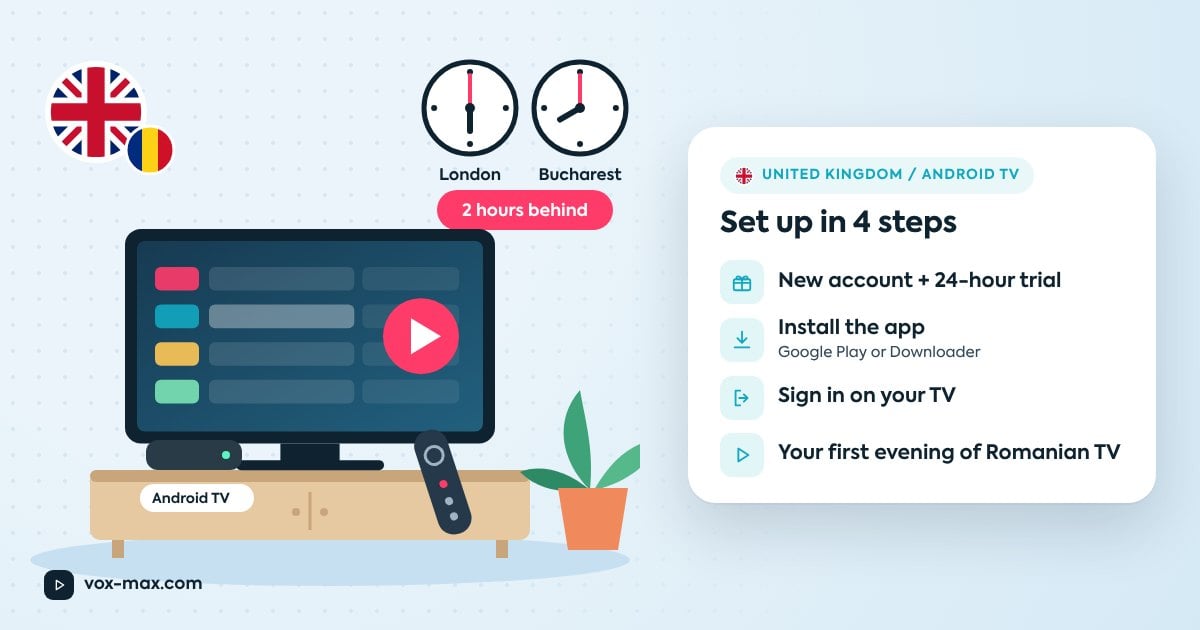
To watch Romanian TV in the UK on Android TV you need three things: an Android TV / Google TV set or a streaming box plugged in over HDMI, a Vox Max account (you can start with the free 24-hour trial) and a stable internet connection, ideally wired. Create your account, install the app, sign in with the details we email you, and you can be watching Romanian TV channels the same evening.
This guide focuses on what's specific to the UK: the time difference, typical UK homes and broadband routers, and your first steps after signing in. For the full installation walkthrough, see our complete Android TV install guide.
What you need
- An Android TV or Google TV device. If your TV is a Samsung or LG, use a box connected over HDMI. We recommend the Nvidia Shield (including Shield TV Pro), Xiaomi Mi Box / Mi TV Box or Google TV Streamer 4K.
- A Google account on the device, for Google Play.
- Home broadband, ideally with the device connected by Ethernet cable.
- An email address or phone number you check, to receive your login details.
Create your account and start the 24-hour trial
- Go to vox-max.com and create your account.
- Check your email (or phone): you'll receive your username, password and installation code.
- The free 24-hour trial lets you see how the service performs on your TV and your broadband.
Installing the app: the short version
You have two options:
- Google Play: search for "Vox Max" in Google Play on your TV or box and select Install.
- Downloader: install Downloader by AFTV News and enter the installation code from your email.
Every step, including what to do if the install is blocked, is in our Android TV installation guide.
First login and your first evening
- Open the Vox Max app.
- Enter your username and password exactly as shown in your email (they're also in your account on vox-max.com).
- Wait for the channel list to load, then pick a channel.
- Try the archive too: rewatch something that aired earlier in the day.
Pin the app to the front of your home screen so it's one click away every evening.
The time difference: what it means in the UK
The UK is 2 hours behind Romania all year. Both countries put their clocks forward and back on the same dates, so the gap never changes.
| Time in Romania | Time in the UK |
|---|---|
| 6:00pm | 4:00pm |
| 8:00pm | 6:00pm |
| 10:00pm | 8:00pm |
| 11:30pm | 9:30pm |
In practice, Romania's prime-time shows start in the UK just as many people are getting home from work. That's where the archive helps: you can go back up to 7 days and watch on your own schedule. Archive availability can vary by programme and channel.
Your home network in the UK
In many UK homes the broadband router sits by the phone or fibre socket, often in the hallway or a different room from the TV. That usually means weak Wi-Fi right where you watch.
What helps:
- Ethernet cable straight from the router to the box: the most stable option.
- Powerline adapters: carry your connection through the mains wiring when running a cable isn't practical. They usually work best plugged directly into a wall socket, not an extension lead.
- 5 GHz Wi-Fi: if you stay on Wi-Fi and the router is close, the 5 GHz band is usually faster; 2.4 GHz reaches further but is more congested.
- Router placement: keep it in the open, not in a cupboard or behind the TV.
If the picture keeps pausing, see our guide to fixing streaming TV buffering.
When to contact support
Get in touch if:
- your login email hasn't arrived (after checking spam);
- your login details aren't accepted;
- the app won't install via Google Play or Downloader;
- the picture still pauses with the device on a cable.
Message us on Telegram at @vox_max_com or email [email protected]. Tell us your device model and what you've already tried.
Frequently asked questions
Can I use Vox Max in the UK on a Samsung or LG TV?
Not directly yet. A native app is being worked on; until then, plug an Android TV box into your TV over HDMI.
Does the programme guide show Romanian or UK time?
Keep the simple rule in mind: the UK is 2 hours behind Romania. If you're unsure which time you're seeing in the app, compare it with a show that's on right now.
Will it work over Wi-Fi?
Yes, but for the most stable picture we recommend an Ethernet cable or powerline adapters.
Where can I see prices?
Current prices are in our pricing section.
More guides
-
Romanian TV abroad
Romanian television abroad
Watch Romanian television abroad with Vox Max: live channels, Playback for up to 7 days, films and series, with P2P delivery and access on up to 5 devices at once.
-
Romanian TV abroad
P2P streaming in the UK: Romanian TV on Android devices
P2P streaming in the UK with Vox Max: learn how the technology works, explore its benefits and try Romanian TV on your television or Android mobile device.
-
Romanian TV abroad
P2P vs traditional IPTV: benefits and real differences
P2P vs traditional IPTV: how peer-to-peer delivery can share traffic more efficiently, where it helps and why testing on your own device matters.